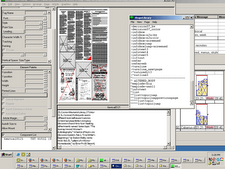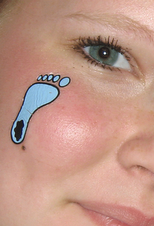
Here's half of the Word exercise from Ellen Lupton. I tried this in Photoshop Elements, mainly because I don't have design software at home yet. So figured it was time to learn what Photoshop Elements could do with type.
Leading, or spacing between lines, was really hard to control. But it was at least intuitive. I think that's maybe why people who are good at Photoshop rarely seem to be good teachers for others. They just click around until something works, and then their eyes or fingers remember how they accomplished something, but not their conscious verbal minds.
There must be a way to crop out or erase the dot on the "I"s, but I didn't figure that out yet. Clues welcome.
I considered the "N" on the first line, in red, but really liked using "nation" on the second line altogether. Thought about repeating, with first line being e-l-i-m-i-n and second line being n-a-t-i-o-n. That might've worked better.
Used Futura medium, though considered Future condensed extra bold. Kerning, or the space between letters, of "nation" bothered me in futura medium, but didn't know how to change that.
Second try in posting -- set background to "matte" in Elements when "saving for web," and then chose the same color background as the web page (currently). Don't know why it wasn't totally transparent at first; I think it was a failing of my use of layers (or lack thereof) when building it in Elements.
Dern, on Try No. 2, the background still looks white. Surfed for answers briefly, didn't find anything, but did find good stuff at
Mandarin Design.